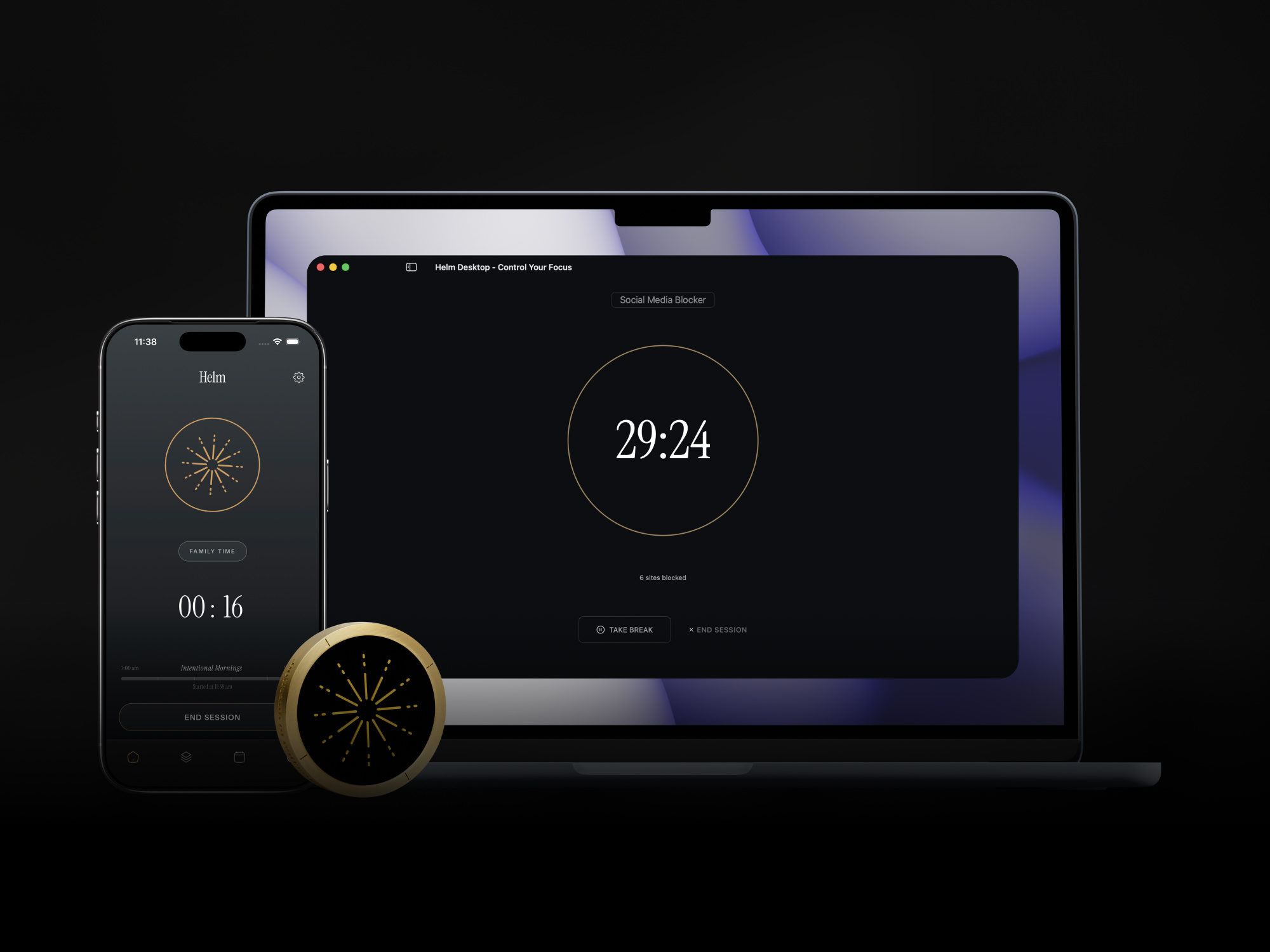
"Blocked everything except VS Code. Shipped a feature in one afternoon."
The future belongs to people who can focus.
Your computer. On your terms.
Helm blocks distractions at the network level — not a browser extension. No workarounds. No side door. Just the work.
DOWNLOAD
macOS 14+ · 7-day free trial
The problem
You're not undisciplined. The internet is just engineered to win.
The average attention window on any screen is now 47 seconds. That's not a character flaw — it's by design.
Social platforms run on variable ratio reinforcement — the same mechanism as slot machines. Infinite scroll, red badges, algorithmic feeds: every pixel optimized to capture your next glance.
47s
Average focus window on any screen. Down from 2.5 minutes in 2004.
23 min
Time to fully recover focus after a single distraction.
2–3×
More likely to complete a task when you state your specific intention before starting.
The math is brutal: interrupted every 2 minutes, needing 23 minutes to recover — you can't complete a single recovery cycle before the next interruption arrives.
Willpower isn't the answer. Infrastructure is.
Other apps suggest you focus. Helm blocks you. At the system level. No browser extension, no workaround, no side door.
726,648
hours of focus reclaimed across Helm Mac, iOS & Android
How it works
Pick your mode. Set your session. Helm does the rest.
01
Create your block list.
Websites and apps. Reddit, Twitter, YouTube — but also Slack, Zoom, Mail, whatever pulls you away from the work. Add them once. They're saved for next time.
Block list
02
Set your intention. Start.
Name what you're actually doing — "finish the proposal," "fix the bug." It stays on screen during the session. Then set a duration and hit start.
2:00
hours
START SESSION
03
Work.
Every site and app on your list is gone. Not hidden. Not minimized. Gone — at the network level.
This site is blocked.
reddit.com · Session ends in 1:42:08
01
Name your mission.
Be specific. "Ship the feature" beats "be productive." The mission stays on screen so you don't drift.
Mission to complete
02
Pick what you need.
The apps and sites for this mission only. Figma. Notion. Spotify. Google Docs. No, Slack is probably not essential. Be honest.
Allowed for this mission
03
Start.
Everything else is locked. Full stop. The internet still works — just not the parts you don't need.
Mission in progress.
Everything else is locked until your session ends.
Scheduling
Set it and forget it.
Build a schedule and Helm runs it. 9am Monday, distractions disappear. No buttons to press.
- Runs in the background. Even if you close the app.
- Works offline. No internet needed.
- Never breaks. Built for macOS from the ground up.
Schedules
Built for focus
Focus in rounds, not marathons.
Schedule breaks into your session. Helm lifts the blocks when it's time to rest, then puts them back when break is over. Sustainable focus, not burnout.
See your focus.
A heatmap of every session. No streaks, no sharing. Just a quiet record of the work.
Ambient sounds for focus.
Coffee shop, forest, lake, lo-fi, spaceship. Pick your environment. Starts when your session starts, pauses on break.
Daily and weekly limits.
Set a cap on how much time you spend on any site or app per day or per week. Hit the limit, it's blocked — automatically.
1h 10m
14m left
Blocked
Allow only what you need.
Mission Mode flips the model. Instead of blocking distractions, you whitelist exactly what your work requires — everything else is unreachable until your session ends.
What happened when people stopped tabbing away.
"Mission Mode: Notion only. Wrote 3,000 words. Did not know I had that in me."
"Helm blocked Slack during deep work. Best four hours of my career."
"Scheduled focus blocks every morning. Finished a side project I started two years ago."
"Blocked YouTube during work. Turns out I actually like my job when I am not watching videos."
"Two hours in Mission Mode with just Figma. My art director asked what changed."
"Used Helm every workday for a month. Got promoted. Correlation? Maybe."
"Blocked everything for 90 minutes. Read an entire report. With comprehension."
"Blocked everything except VS Code. Shipped a feature in one afternoon."
"Mission Mode: Notion only. Wrote 3,000 words. Did not know I had that in me."
"Helm blocked Slack during deep work. Best four hours of my career."
"Scheduled focus blocks every morning. Finished a side project I started two years ago."
"Blocked YouTube during work. Turns out I actually like my job when I am not watching videos."
"Two hours in Mission Mode with just Figma. My art director asked what changed."
"Used Helm every workday for a month. Got promoted. Correlation? Maybe."
"Blocked everything for 90 minutes. Read an entire report. With comprehension."
Questions.
Browser extensions only block inside one browser. Open a different browser — or an app — and you're right back on Reddit. Helm blocks at the network level. Every browser, every app, at once. There's no other door.
In Block Mode, everything not on your blocklist still works. In Mission Mode, you set your allowed list before you start — so include anything you might need. You're building the environment before the session, not negotiating with yourself during it.
Yes. Helm runs a background process that doesn't depend on the main app staying open. Close it, hide it, ignore it — your blocks hold until the session ends.
$8.99/month, or $59.99/year ($5/month). There is a $99 lifetime option while it lasts.
Several users have tried. None have succeeded. That is the product.
Block Mode: pick what to block, keep everything else. Mission Mode: pick what to keep, block everything else. Same destination, different door.
Other apps nudge you. Helm blocks you. At the system level. No browser extension, no workaround, no side door.
Yes. Runs a background process on your Mac. No internet, no cloud, no excuses.
No. Close it. Your blocks do not care.
Not yet. macOS only. Windows is coming.
You value things you pay for. Unlike those five free productivity apps you downloaded and never opened.
Why Helm
Built differently. Priced fairly.
Other apps suggest you focus. Helm blocks you — at the network level, with no side door.
| Helm $5/mo · 17¢/day | Opal $19.99/mo · 66¢/day | Browser ext. Free | |
|---|---|---|---|
| Blocks at network level | ✓ | ✗ | ✗ |
| Blocks every browser + apps | ✓ | ✓ | One browser only |
| Works offline | ✓ | ✓ | ✗ |
| Mission Mode (whitelist blocking) | ✓ | ✓ | ✗ |
| Pomodoro / break scheduling | ✓ | ✗ | ✗ |
| Lifetime option | $99 | $399 | — |
Pricing
Pick a plan.
Start your 7-day free trial. Upgrade when you're ready.
Monthly
$8.99/mo
Flexible
START TRIALAnnual
$5/mo
$59.99/year · Most popular
START 7-DAY TRIALLifetime
$99
One-time · Limited time
GET LIFETIMEAll plans include Block Mode, Mission Mode, Scheduling, Breaks, Heatmap, Background Sounds, and Unlimited Sessions.

The future belongs to people who can focus.
Helm for Mac. Start your free trial.
DOWNLOAD
7-day free trial. macOS 14+. Or keep telling yourself you'll just check for a second.
Mac
iPhone
Android
Windows
Helm is everywhere you work.
Mac, iPhone, and Android apps are live today. Cross-device session sync is coming — start a session on your Mac and have it follow you to your phone. Windows is next.